Meet Prismatic Music.
Your own songs — iTunes Store purchases, files, and folders — played on your device, FLAC to AAC. Subscription downloads cannot be imported.

Every part of the player, up close.
Swipe through the parts of the player you'll use every day.
Auras
Visuals drawn from the colors of each song's artwork, moving with the music behind the player.
Conductor
With Pro on iOS 27, supported scenes read the song's structure ahead of time and build toward the drop before it lands.
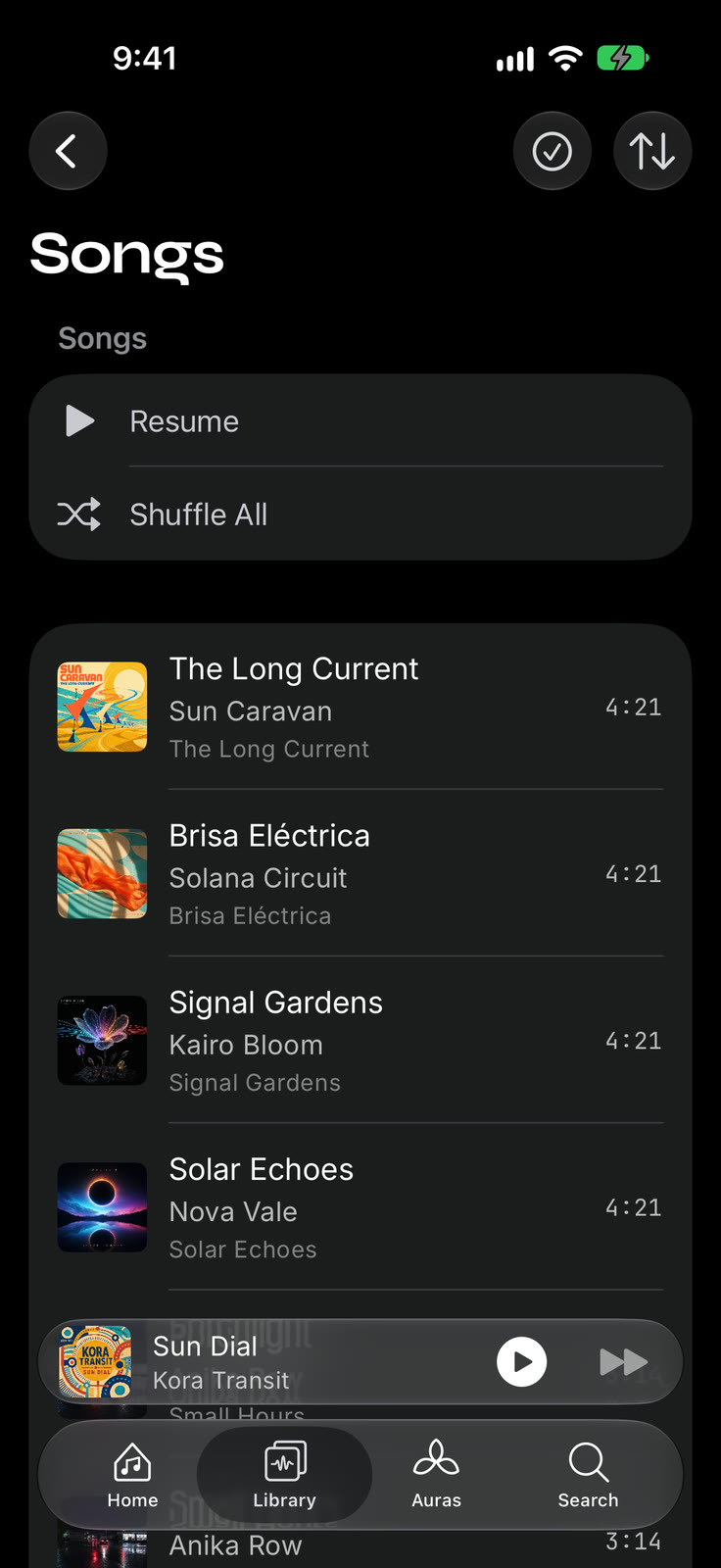
Import from anywhere
iTunes Store purchases, files, folders, a computer over Wi-Fi, or your own music server — one library, artwork intact.
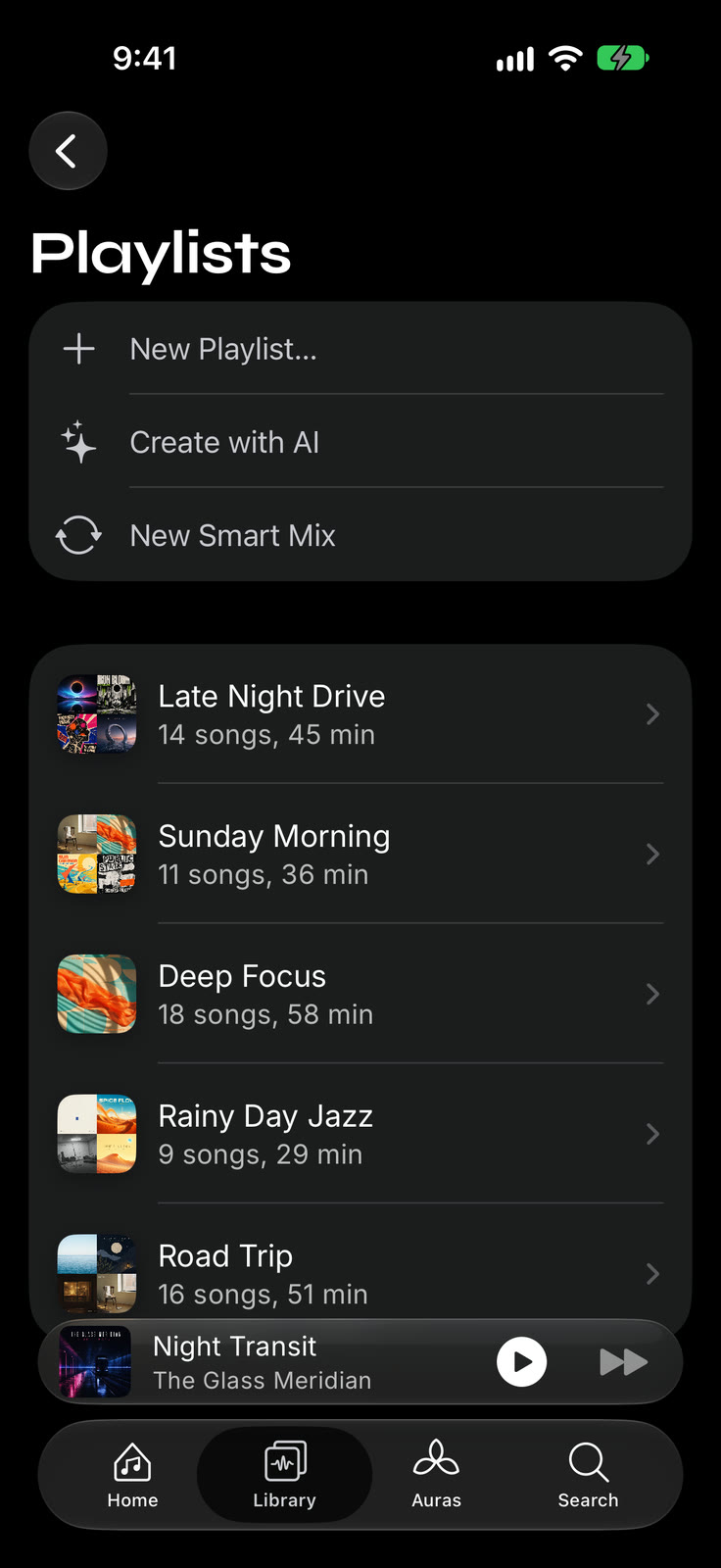
Playlists, your way
Reorder, sort, and search inside any playlist. With Pro on iOS 27 and Apple Intelligence, describe a mix and get one.
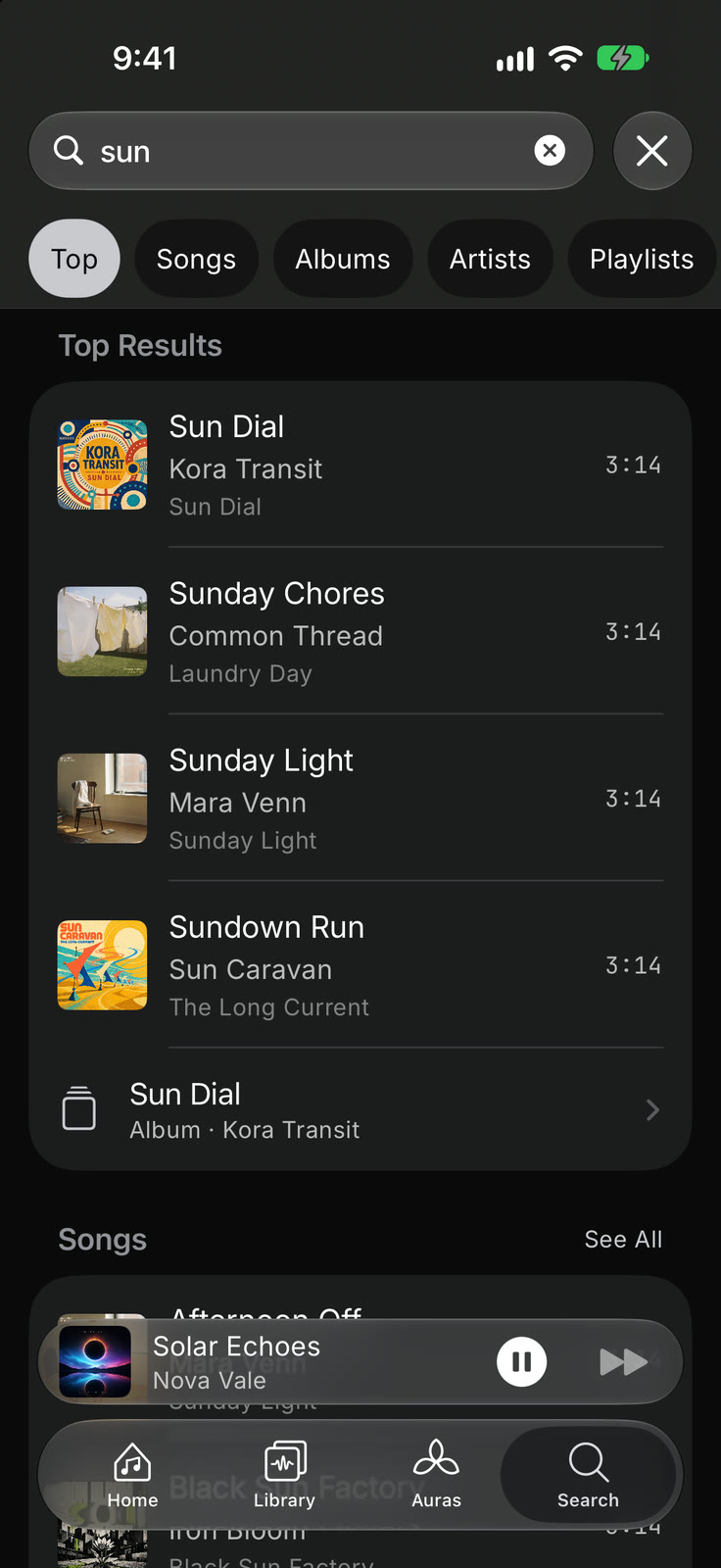
Instant search
Full-text search across every song, album, and artist you've imported — instant, even for large collections.
Built like a player, not a file browser.
Truly offline
Plays the music you already own — no streaming, no buffering, no account. Your library lives on your device.
Import from anywhere
Add songs you own — iTunes Store purchases, files, your computer over Wi-Fi, your music server, or another phone running Prismatic Music.
The same visuals
Every track is paired with the same real-time, beat-reactive Metal visualizers that power Prismatic FM.
Organized your way
Playlists, albums, artists, and instant full-text search across your entire library.
Tune the sound
Choose from 22 free EQ presets. Prismatic Pro adds custom band tuning and saved presets.
Native on every screen
Built natively for iPhone and iPad — with Now Playing and lock-screen controls. Not a wrapped web app.
Free to listen. Prismatic Pro for more.
Start with the music you own, with no account or subscription required. Free listening includes visual ads that never interrupt your music. Choose Pro to remove ads and unlock more ways to see, shape, and organize your songs.
- Your library
- Free: Import, offline playback, playlists, search, and queue
- Prismatic Pro: Everything in Free
- Ads
- Free: Visual ads; no inserted audio ads or music interruptions
- Prismatic Pro: No ads
- Auras
- Free: Prism Glow and Stagelight, full screen or behind the player
- Prismatic Pro: Every Aura, plus casting Auras to a compatible display
- Equalizer
- Free: All 22 EQ presets
- Prismatic Pro: Custom band tuning, saved presets, and Live Spectrum
- Lyrics
- Free: Lyrics from your files or pasted text, with the classic synced view
- Prismatic Pro: Online lyric search, every lyric style, and lyrics over visualizers
- Conductor
- Free: Real-time reactive visuals
- Prismatic Pro: Whole-song visuals on iOS / iPadOS 27, with supported songs and scenes
- AI playlists
- Free: Create your own playlists manually
- Prismatic Pro: Describe a mix from your library; requires iOS / iPadOS 27 and Apple Intelligence
Choose how you pay for Pro
Same Pro features on every plan. US pricing.
Monthly
$2.99 / month
Yearly
$19.99 / year
Lifetime
$49.99 once
Subscriptions renew automatically unless cancelled at least 24 hours before the current period ends. Lifetime is a one-time purchase. The yearly plan offers a free trial for eligible subscribers. Check your local price and trial eligibility in the app before purchasing.
Check your device and music
The iPhone and iPad app requires iOS / iPadOS 18 or later. Conductor needs iOS / iPadOS 27, on-device music analysis, and a supported local song and scene. AI playlists need iOS / iPadOS 27, a device that supports Apple Intelligence, and Apple Intelligence ready in a supported language and region. Buying Pro does not remove these requirements. Check Apple Intelligence device and language support.
Import files you own that are not copy-protected. Apple Music and Spotify subscription downloads cannot be imported. Once imported, your songs play offline; online lyric search, network imports, and some AI processing need a connection.
Find your import routeExplore ConductorSiri and AI requirements
Download free for iPhone and iPad. Choose Pro inside the app.
Go deeper
The offline music player, explained
What an offline player is, how it compares to streaming downloads and cloud lockers, and how Prismatic Music works on each platform.
Auras: live music visualizers
Every Aura, including the newest — live visuals that move with the song that's playing, on your own library.
Conductor: a visualizer that sees the whole song
On iOS 27, supported visualizers read the song's structure ahead of time and build toward the drop before it lands. Native demos, sound on.
Your music, with Siri & Shortcuts
Ask Siri to play a playlist you made in Prismatic. Explore Siri AI support on iOS 27, voice examples and actions for your own shortcuts.
Import your library
iTunes Store purchases, files from anywhere, your own Navidrome or Jellyfin server, and drag-and-drop from your computer over Wi-Fi.
FLAC & lossless playback
FLAC, ALAC, WAV, AIFF, MP3, and AAC — played natively, no conversion.
10-band equalizer
22 free presets and which one to choose, plus 10 bands from 32 Hz to 16 kHz, right in the player.
All features
Everything that makes Prismatic Music more than a file browser with a play button.
Music glossary
Audio formats, copy protection, gapless playback, and visualizers.
How-to guides
Step-by-step: move music from a computer without iTunes, import from the Files app or a USB drive, carry a library to a new phone, turn on a visualizer.
Put music on iPhone, no iTunes
Three routes from Windows or a Mac: Apple's own sync, the Files app or a USB drive, or Wi-Fi from any browser.
Best offline music players for iPhone
An honest comparison of the players that work without a connection — including where Prismatic Music wins and where it doesn't.
Music players with real visualizers
What happened to WinAmp-style visualizers, and which apps still render visuals live from the song that's playing.
How to play MP3 files on iPhone
Every route that works in 2026 — Files app, computer sync, cloud drives, and a real local player — with honest steps for each.
FLAC player for iPhone: the lossless guide
Bring your FLAC albums to iPhone with a screenshot import guide, format advice, and headphone tips.
Frequently asked questions
About Prismatic Music
Prismatic Music is out now on the App Store, free for iPhone and iPad. Search for "Prismatic Offline Music Player" or tap the download button on this page.
It imports songs you own: your iTunes Store purchases and files you added yourself, as long as they aren't copy-protected. Songs downloaded through an Apple Music or Spotify subscription can't be imported. You can also add files or folders, import over Wi-Fi from a computer, copy songs from Navidrome, Jellyfin, Emby or another OpenSubsonic server, or transfer a library from another phone running Prismatic Music. Imported songs play offline.
FLAC, ALAC (Apple Lossless), WAV, AIFF, MP3, AAC, Opus, and OGG — played natively with no conversion, including lossless files. Files must be free of copy protection.
Yes. Import and play your own songs offline, build playlists, search your library, use EQ presets, read local lyrics, and enjoy core visualizers for free. No account or subscription is required. Free listening includes visual ads, with no inserted audio ads or interruptions to your music. Prismatic Pro removes ads and adds the full visualizer library, custom EQ tuning, and more.
Prismatic Pro costs $2.99 monthly, $19.99 yearly, $49.99 lifetime (US pricing). All three plans unlock the same Pro features on supported devices. Subscriptions renew automatically unless cancelled at least 24 hours before the current period ends. Lifetime is a one-time purchase. The yearly plan offers a free trial for eligible subscribers; the app shows your eligibility and local price before purchase.
The app runs on iOS / iPadOS 18 or later. Conductor requires iOS / iPadOS 27, on-device music analysis, and supported local songs and scenes. AI playlists require iOS / iPadOS 27 and a device with Apple Intelligence ready in a supported language and region. Pro does not remove these requirements. Standard offline playback, EQ presets, and core reactive visualizers do not need Apple Intelligence.
Love live radio too?
Prismatic Music shares its visual engine with Prismatic FM — our free app for streaming 50,000+ live radio stations from around the world, with the same music-reactive visualizers. Available now on every screen.
Your library is about to look this good.
Prismatic Music is out now on the App Store.