Your music. Just ask Siri.
Play a playlist you made in Prismatic, ask for an album, or skip to the next song. Siri & Shortcuts connect to the music already in your library.
Try saying
Example requests using music in your library.
- “Play the playlist Road Trip on Prismatic”
- Replace Road Trip with the name of a playlist in your library.
- “Play the album [album name] on Prismatic”
- Use an album you’ve imported. You can ask for songs and artists by name, too.
- “Next song on Prismatic”
- Skip ahead while your music is playing.
- “Shuffle Prismatic”
- Toggle shuffle for your current queue.
Version 2.0 adds Siri AI support on iOS 27 through Apple’s App Intents audio integration. Prismatic makes your songs, albums, artists and playlists available to Siri, with actions for playback, queueing, favorites and adding music to playlists.
Siri playback and the app’s Shortcuts actions also work alongside the familiar player. The core app runs on iOS 18 and later; iOS 27 adds the new Siri AI integration, audio-file import action and AI mix previews. Siri availability depends on your device, language and system settings.
Build a shortcut around your listening
Play your library
Choose a song, album, artist or playlist in Shortcuts. Add play/pause, next song, previous song or shuffle actions to your routine.
Find the right songs
Find Songs filters your library by text, genre and listening history. Tempo and energy filters use completed song analysis. Set a sort order and a result limit.
Add songs to a playlist
Connect Find Songs to Add to Playlist, then choose an ordinary playlist you’ve created. Smart Mixes manage their own membership.
Preview an AI mix
Describe what you want to hear with Create Mix Preview. Review the songs before choosing to save or play. Requires iOS 27, Apple Intelligence and Prismatic Pro.
Import audio files
On iOS 27, pass audio files to Import Audio Files to copy them into Prismatic. The action reports progress and skips songs already in your library.
Shape what plays next
Reorder Up Next for Flow arranges upcoming songs for a warm-up, wind-down or steadier flow, using song analysis. The song playing now stays in place.
Start with a playlist you already know
You can ask Siri directly. Open Shortcuts when you want to combine actions or choose their parameters yourself.
- 1
Add music to Prismatic
Import your audio files, then create a playlist and give it a recognizable name. Siri plays music in your Prismatic library.
- 2
Browse Prismatic’s actions
Open Apple’s Shortcuts app and create a shortcut. Search for Prismatic to browse its actions, including Play Playlist and Find Songs.
- 3
Ask Siri to play it
Try “Play the playlist Road Trip on Prismatic,” using your own playlist name. Include Prismatic in the request so Siri knows which player to use.
- 4
Make it your own in Shortcuts
Choose Prismatic’s Find Songs action, set a genre and Maximum Songs, then pass its result to Add to Playlist. Select an existing playlist and run the shortcut to add the matching songs.
Siri & Shortcuts — FAQ
On iOS 27, Prismatic integrates with Siri AI through Apple’s App Intents audio schemas. Songs, albums, artists and playlists are available to the system alongside playback, queue, favorite and playlist actions. Shortcuts also gains audio-file import and an AI mix preview you can review before saving.
The app runs on iOS 18 and later. Basic library playback with Siri and standard Shortcuts actions do not require Pro. The new Siri AI integration and Import Audio Files action require iOS 27. AI mix previews require iOS 27, Apple Intelligence and Prismatic Pro. Tempo, energy and flow features need completed song analysis.
Siri uses your Prismatic library. Import the music first, and use the song, album, artist or playlist name shown in the app. This integration does not add a streaming catalog.
Imported music plays offline in Prismatic. Siri has its own device, language and connectivity requirements, so offline playback does not guarantee that every Siri request will work without a connection.
Check that the playlist is in Prismatic and contains playable songs. Use its name as shown in the app and include “on Prismatic” in your request. If the request still fails, open Apple’s Shortcuts app and select the playlist explicitly in a Prismatic Play Playlist action.
Create Mix Preview returns a draft made from your library. Review it first, then choose to save it as a playlist or play the saved mix. Finding songs is also a separate step from adding them to a playlist.
More of Prismatic Music
All features →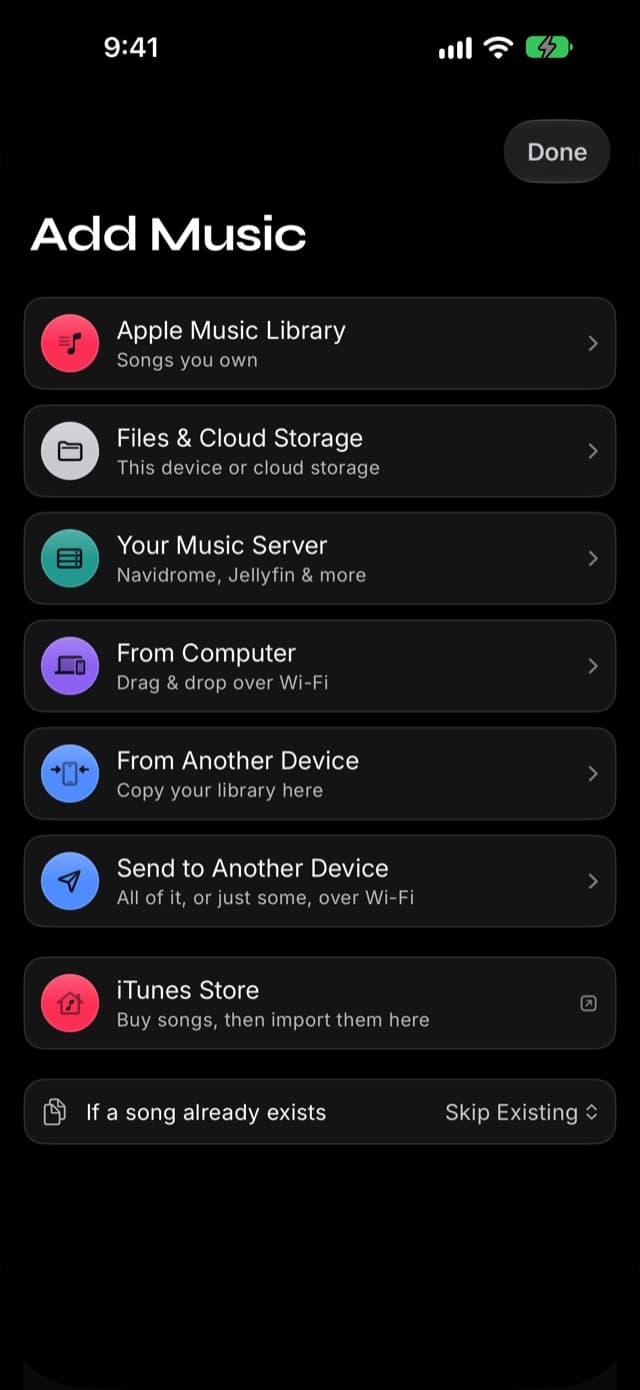
Import
Bring in music from your Apple Music library, the Files app, your computer over Wi-Fi, a music server you run, or your old phone — your collection, one player.

Auras
Auras are live visuals that move with the song that's playing — behind the player or full screen, on music you own.
Equalizer
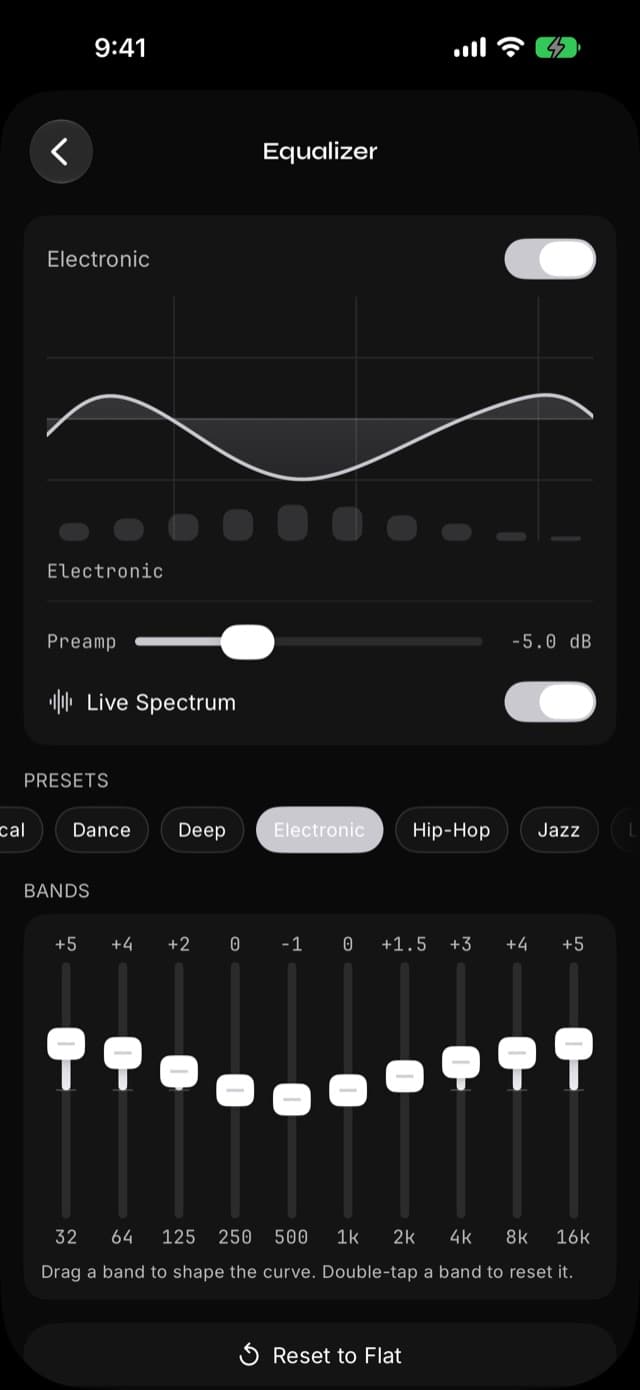
A 10-band graphic EQ with 22 presets — from Bass Booster to Spoken Word — so every track sounds the way you want.
Give your library a voice.
Prismatic Music is a free offline player for iPhone and iPad, with Siri and Shortcuts built in.
Free on the App Store — iPhone and iPad